FAQ (Frequently asked questions)
Need help? Look for the answer in our FAQ. If that doesn't help, you can also contact us.
How can I see all the information about a gift idea?
Click the Details... button. A window will open with more information about the gift idea. If there is no extra information, there will be no Details... button.
How can I ask for more information about a gift idea?
Click the Ask for info button. An anonymous e-mail will be sent to the person who added the gift idea. So this person will not know who clicked the button. The e-mail will ask them to add more information about the gift idea.
How do I ask a person for more gift ideas?
At the bottom of the list, click the Ask for more gift ideas button. An anonymous e-mail will be sent to the person. So this person will not know who clicked the button. The e-mail will ask them to add more gift ideas.
How do I add/edit/delete a gift idea on my list?
Click the matching icon:
- To add a gift idea, click "New gift idea" and a new window will open.
- To edit a gift idea, click the "Edit" button next to the gift idea.
- To delete your gift idea, click the red X button next to the gift idea.
What do I fill in for website/shop and website link?
Under website/shop you can fill in on which website or in which shop you saw your gift idea. If you have no idea, leave this field empty. But the more information you give, the better your chances of getting the right gift.
Under website link you can fill in a link to the website or the shop. A link always starts with https://.
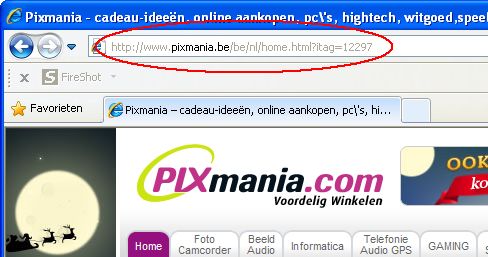
Where do I find the link of a website?
You can usually find the link of a website at the top, in the address bar of your browser (Chrome, Edge, Firefox, ...), and it always starts with https://.
How do I find the link of a photo?
Option 1: Use the 'search online' button when filling in your gift idea. A screen will open where you can search for photos based on the words you type. When you have found a good photo, click it and it will be filled in automatically.
Option 2: Click the "upload own photo" button when filling in your gift idea. You can then upload a photo from your computer, phone or camera. The photo is automatically uploaded to imgbb.com and the link is filled in in the photo field.
Option 3: Search for a photo on the internet. Right-click the photo and choose "Copy image address" (or "Copy image link"). Then paste it into the field.
Is my gift list emptied automatically after Christmas?
No. If you want this, you have to delete your gift ideas yourself after Christmas (or the group administrator can empty everything at once). Your list is not emptied automatically. Your gift ideas remain available all year round.
How do I start a list for my family or group of friends?
Register yourself and your friends or family members. Make sure everyone receives their login details so everyone can put their gift ideas online. After that, everyone can log in and see the gift ideas of the other group members.
How do I see who I need to buy a gift for?
That depends on what you agreed. You can see everyone's gifts in your family or circle of friends. If the administrator has used the "Draw names" feature, you will see on the home page who you need to buy for.
Can I take part in lists from different families?
Yes. Everyone gets a unique login. Your login in family X will therefore be different from your login in family Y. Do make sure you don't fill in the same gift ideas in both lists, or you risk getting them twice.
What information do I fill in in the Extra information field?
That's up to you. Fill in general information, special agreements or things people should pay attention to. For example:
- Before you buy a present for X, give Y a quick call to check they haven't bought it already.
- Please fill in your list before 1 December.
I don't have any login details
Your login details are sent to you by your group administrator when your login is created. If you no longer have your login details, you can also request your password again yourself. If that doesn't work, contact your group administrator.
Don't know who your group administrator is? Are you already registered? If not, you can create a Christmas list for you and your family or friends.
How do I register so I can log in?
You cannot register yourself for an existing group. The person who creates the Christmas list (the group administrator) takes care of registering all friends or family members.
I am not receiving the registration or forgotten password e-mail
It can take a few minutes before you receive the e-mail. Check whether the e-mail ended up in your junk mail (spam). The forgotten password e-mail is sent from the following address: info@kerstlijst.be.
Is there a system to draw names automatically?
Yes, your group administrator can take care of this. You can let the computer draw the names and even e-mail each person. That way only the person themselves knows which name was drawn.
Is this website only available around Christmas?
ChristmasList.app is available all year round. You can fill in your gift ideas all year round.